

Are you tired of the "spinning wheel of death" just as Virat Kohli charges down the track or Jasprit Bumrah runs in for a match-deciding yorker?
With the IPL 2026 season in full swing, millions of fans are hitting the servers simultaneously. This massive surge in traffic often leads to the most dreaded word in cricket: Buffering. Whether you are watching the defending champions Royal Challengers Bengaluru (RCB) or the powerhouse Mumbai Indians (MI), a laggy stream can ruin a historic moment.
In this ultimate guide, we reveal the pro-level secrets to ensuring a crystal-clear, 4K lag-free experience for every single ball of the T20 extravaganza.
Match & Season Overview: Why IPL 2026 is Breaking the Internet
The 19th edition of the Indian Premier League isn't just another tournament; it’s a digital revolution. With the new JioHotstar merger consolidating the streaming landscape in India, the scale of viewership has reached unprecedented heights.
What’s happening today: As we move through the league stages, the competition for the Top 4 is tighter than ever. Teams like CSK and KKR are leveraging tactical substitutions (Impact Players) more aggressively, making every second of the live broadcast vital.
Key Highlights & Quick Summary
- Defending Champions: Royal Challengers Bengaluru (RCB).
- The Big Merge: JioCinema and Disney+ Hotstar have merged into JioHotstar, the exclusive digital home for IPL 2026 in India.
- Format Twist: Teams now play opponents in their own group once and opposite group teams twice—doubling the number of "high-stakes" rivalries like MI vs. CSK.
- Data Usage: Streaming in 4K can consume up to 10GB to 15GB per match.
- Peak Traffic: The "Danger Zone" for buffering is between 7:30 PM and 11:30 PM IST.
Deep Analysis: Why Does Your IPL Stream Actually Buffer?
Most fans blame their "slow internet," but the reality is more complex. Buffering during IPL 2026 usually happens due to one of three "bottlenecks":
- ISP Throttling: Some Internet Service Providers (ISPs) limit speeds during high-traffic events to manage their network load.
- CDN Overload: The Content Delivery Network (the servers delivering the video to you) can get congested when 50 million people click "Live" at the same time.
- Local Interference: Using 2.4GHz Wi-Fi instead of 5GHz or Ethernet causes signal collisions with your neighbor’s router.
Tactical Breakdown of the JioHotstar Era
The merger has improved backend stability, but the sheer volume of 4K Dolby Vision streams requires a specialized setup. If you haven't optimized your hardware, you aren't seeing the true potential of the broadcast.
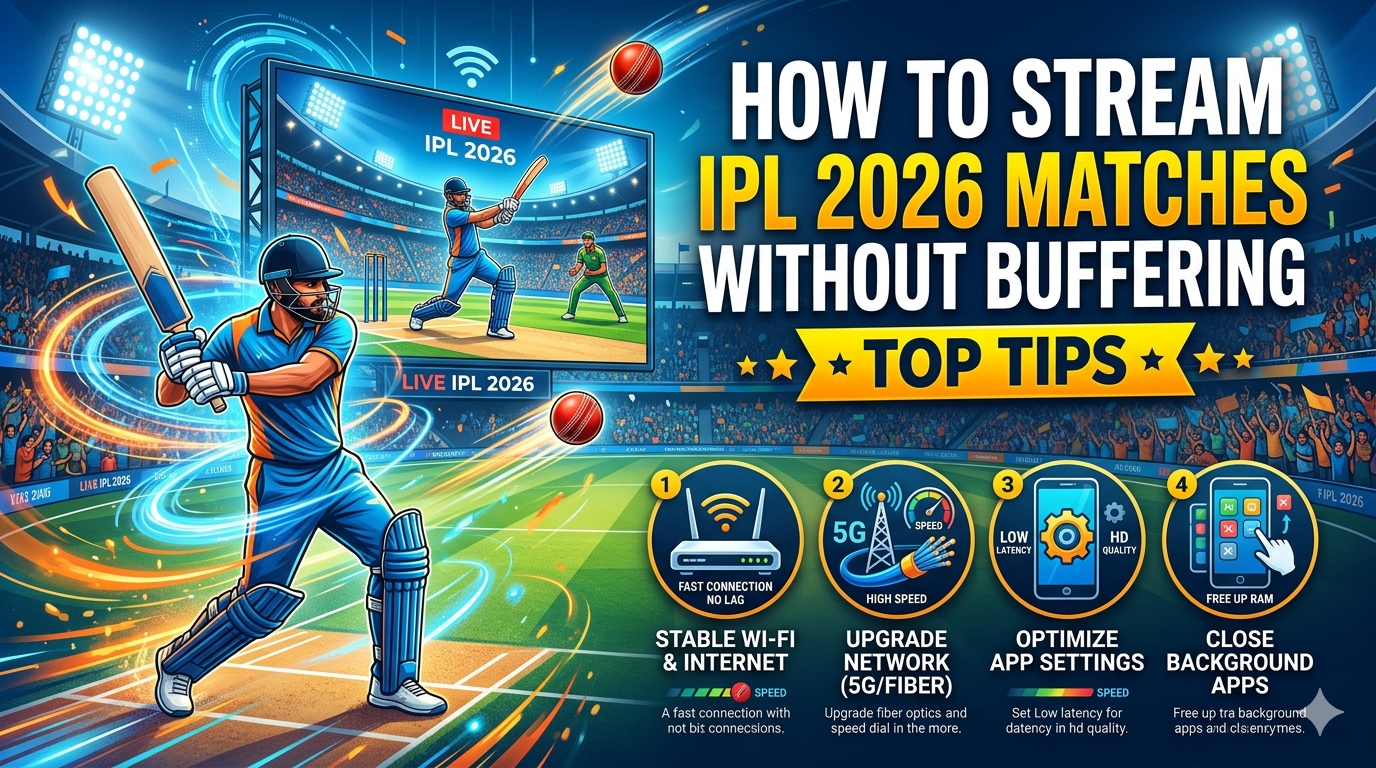
How to Watch IPL 2026 Without Buffering: Top Tips
1. Shift to the 5GHz Band (The "Golden Rule")
Most routers are dual-band. The 2.4GHz band is crowded and slow. For a must-watch match, go to your Wi-Fi settings and ensure you are connected to the 5GHz version of your network. It offers higher data throughput and less interference.
2. Use a Wired LAN Connection for Smart TVs
If you are watching on a Smart TV, stop using Wi-Fi. Plug an Ethernet/LAN cable directly from your router to your TV. This eliminates "packet loss" and provides a rock-solid connection that Wi-Fi simply cannot match.
3. Clear App Cache Regularly
During the season, the JioHotstar app accumulates "junk" data.
- For Android/FireStick: Go to Settings > Apps > JioHotstar > Clear Cache.
- For Mobile: Restart the app before the toss to refresh the session tokens.
4. Disable "Data Saver" Modes
Modern phones have "Data Saver" settings that restrict background bandwidth. Ensure this is OFF. Similarly, within the streaming app, avoid "Auto" quality if your internet is stable; manually set it to 1080p or 4K to prevent the app from constantly switching resolutions (which causes a "black screen" lag).
Key Factors That Will Decide the Viewing Outcome
- Internet Speed: You need a minimum of 25 Mbps for 4K and 10 Mbps for stable HD.
- The Hardware: Devices like the latest Apple TV 4K or Chromecast with Google TV handle high-bitrate streams better than built-in TV apps.
- Platform Choice: In the USA, Willow TV via Sling or Hulu is the standard, while UK fans should stick to the Sky Go app for the lowest latency.
Stats, Records & Trends: The Digital Surge
Feature | Requirements (HD) | Requirements (4K) |
|---|---|---|
Min. Speed | 8-10 Mbps | 25-50 Mbps |
Data per Match | 2GB - 4GB | 10GB - 15GB |
Latency (Avg) | 15-30 Seconds | 20-40 Seconds |
Trending Trend: "Watch Parties" are back. The JioHotstar app now features integrated social chats, but beware—using these features increases the load on your device’s processor, which can lead to thermal throttling and lag.
Expert Prediction: What to Expect in the Final Weeks
Expect JioHotstar to hit record-breaking concurrent viewership numbers during the playoffs (May 2026). To avoid the inevitable "Server Busy" errors:
- Pro Tip: Log into the stream 15 minutes before the first ball. Established connections are less likely to be "dropped" than those trying to join during the peak rush of the first over.
Don't Miss a Single Wicket!
Streaming the IPL 2026 should be an immersive experience, not a frustrating one. By switching to 5GHz Wi-Fi, using Ethernet cables, and managing your app cache, you can stay ahead of the digital curve.
Our Final Prediction: This year’s final will see a record 60 million+ concurrent viewers. Make sure your internet is ready for the "Big One"!
What’s your trick to beat the lag? Drop a comment below and let’s discuss the best way to watch the 2026 season!
People Also Ask
Q1: Who will win IPL 2026?
While RCB entered as defending champions, the current form of Mumbai Indians and Sunrisers Hyderabad makes them heavy favorites for the 2026 title.
Q2: Where to watch IPL 2026 matches live?
In India, stream live on the JioHotstar app. On TV, the Star Sports Network holds the official broadcast rights.
Q3: What time do IPL 2026 matches start?
Evening matches usually start at 7:30 PM IST, while afternoon double-headers begin at 3:30 PM IST.
Q4: Why is my JioHotstar app buffering?
It is likely due to network congestion, weak Wi-Fi signal, or an overloaded app cache. Try switching to a 5GHz Wi-Fi band or clearing the app data.
Q5: Is IPL 2026 available for free?
Unlike previous years, IPL 2026 requires a paid subscription on JioHotstar. Mobile-only and Premium 4K plans are available.
Q6: How much speed is needed for 4K IPL streaming?
A stable connection of at least 25 Mbps is required for 4K. For a family sharing Wi-Fi, a 100 Mbps plan is recommended.
Q7: Can I watch IPL 2026 on Willow TV in the USA?
Yes, Willow TV is the exclusive broadcaster for IPL 2026 in North America, available via the app or cable providers like Sling.
Q8: How to fix "Connection Error" on JioHotstar?
Restart your router, toggle Airplane mode on/off on your phone, and ensure the app is updated to the latest version from the Play Store/App Store.
Q9: Does using a VPN stop buffering?
Usually, no. A VPN can actually slow down your connection. Only use a VPN if you are traveling and need to access your home subscription.
Q10: Which is the best broadband for IPL?
Fiber-to-the-home (FTTH) services like JioFiber, Airtel Xstream, or Excitel are best due to their low latency and high consistency.
Q11: How to watch IPL on a laptop without lag?
Use a modern browser like Google Chrome and close all other tabs. Ensure "Hardware Acceleration" is turned on in browser settings.
Q12: Can I watch IPL 2026 in 4K on mobile?
Yes, if you have a 4K-supported smartphone and the JioHotstar Premium subscription.
Q13: Why is the stream behind the live score on Cricbuzz?
All digital streams have a "broadcast delay" of 10–30 seconds. To minimize this, use a high-speed fiber connection.
Q14: How to clear cache on FireStick for IPL?
Go to Settings > Applications > Manage Installed Applications > JioHotstar > Clear Cache.
Q15: What is the best resolution for mobile data?
If you are on 4G/5G mobile data, 720p (High) is the sweet spot for stability and data saving.